Who can connect
Approved administrator IPs or the designated jump host, using HTTPS or key-based SSH.
AI-native industrial edge OS. Hardened for OT.
TwinEdge OS is the AI-native edge server. Connect your PLCs, keep local history, and run models beside the machine — including with no internet.
Secure industrial edge runtime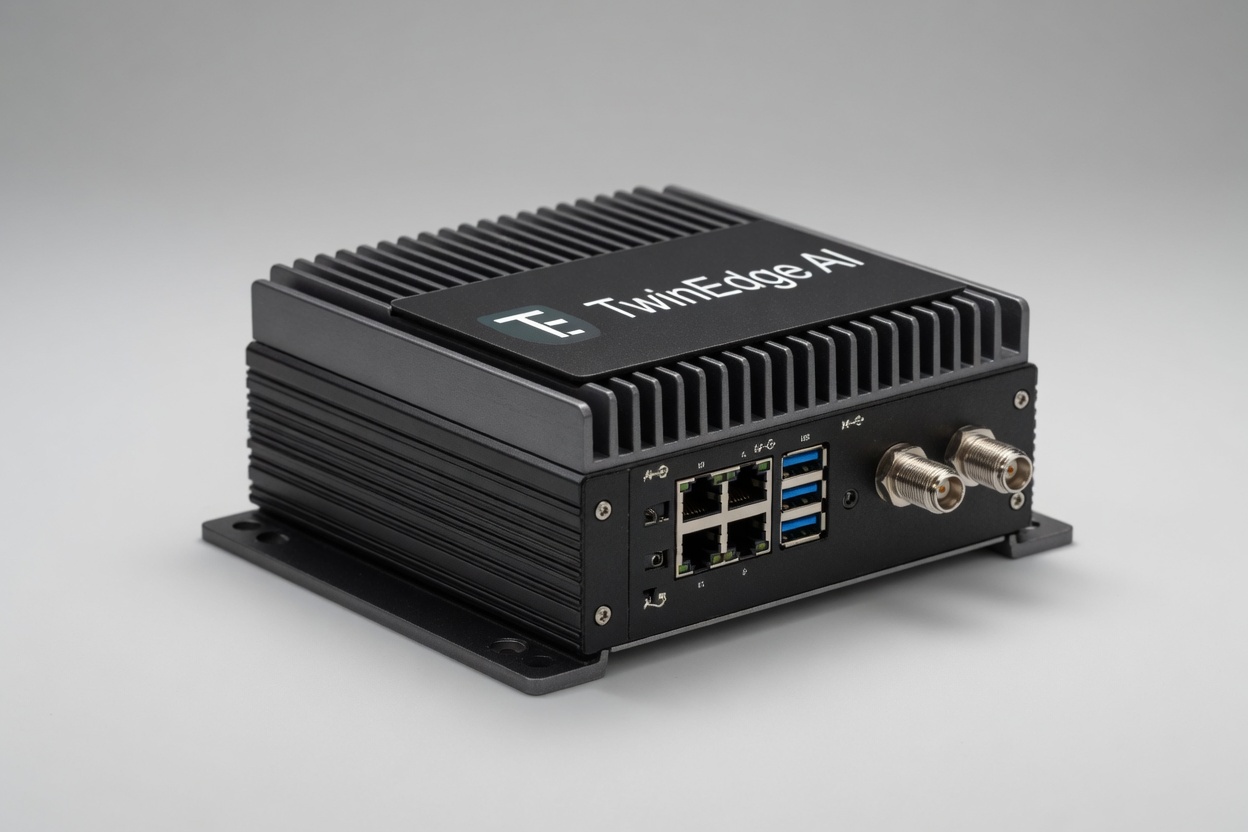
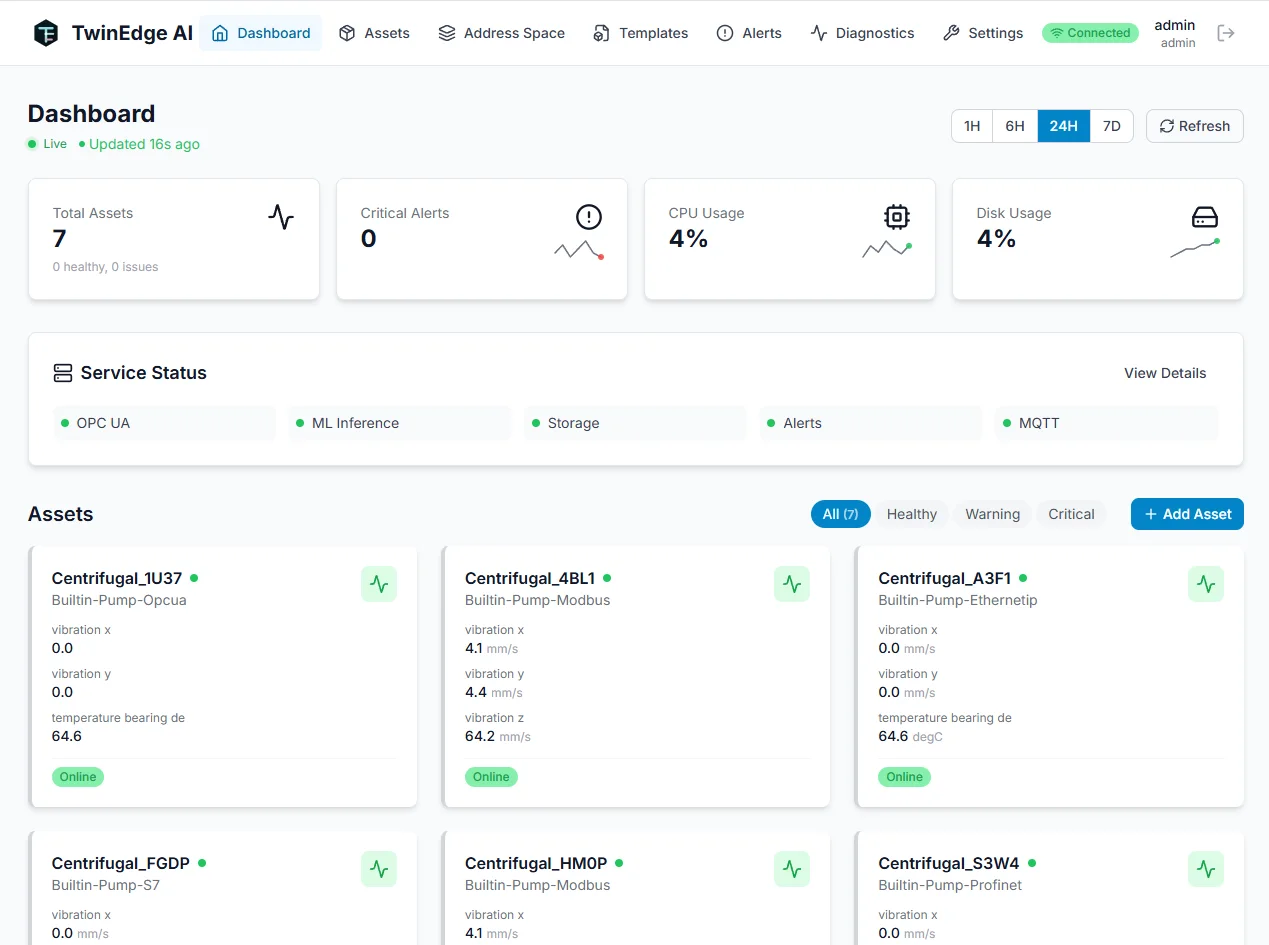
TwinEdge OS · local administration
TwinEdge OS runs on a hardened industrial edge server. Operators reach it from a connected workstation — not from a public cloud console.
The hardened local OT deployment
The hardened OT deployment permits approved administration and local PLC communication. The network firewall restricts the routed management path, while the edge server's own firewall enforces its rules independently. Everything outside the permitted traffic policy is denied.
Industrial equipment stays on the existing PLC. TwinEdge OS is a peer on the local OT subnet behind its own default-deny firewall. Approved administrators connect with HTTPS or key-only SSH through a network firewall. New connections the edge server tries to start off the subnet are dropped at the device firewall.
TwinEdge starts a local PLC session on the OT subnet, then collects, stores, and analyzes beside the machine. Blocked external paths stay visible but unused.
Approved administrator IPs or the designated jump host, using HTTPS or key-based SSH.
Permitted PLC communication on the local subnet. New connections to other subnets or the internet are blocked.
SSH password login, SSH root login, Wi-Fi, Bluetooth, and unused interfaces in this deployment profile.
| Direction / session | Policy in this deployment |
|---|---|
| Approved admin → edge | Allow HTTPS and SSH through the routed network boundary and the device firewall. |
| Any other source → edge management | Drop new connections, including attempts arriving from the same local subnet. |
| Edge → local PLC | Permit configured local PLC communication. Not a whole-subnet wildcard. |
| Replies within permitted sessions | Allow established-session response traffic, including replies to approved administrators outside the subnet. |
| Edge → other subnets / Internet | Deny new edge-initiated connections. |
| Other new inbound services | Deny; internal runtime components do not imply extra reachable services. |
Shown: the hardened local OT deployment. Cloud-connected deployments use a separately approved connectivity policy. This table describes session-level behavior, not an executable firewall ruleset.
Bring OPC UA, Modbus, MQTT, and local interfaces into an asset-aware runtime.
Store readings, run inference, serve dashboards, and raise alerts locally.
When enabled under an approved connectivity policy, synchronize data, packages, and fleet health.
Local operation continues through connectivity interruptions.
Collection, storage, inference, and dashboards share the edge host.
Carry site context into wider analytics and operations.
Select a screen to explore the workflow. Open it for a closer look.
Asset health, host resources, and protocol services share one local dashboard.
Runs as software on supported Linux or container hosts, with gateway or Box packaging available when needed.
Protocol access, storage, ONNX inference, dashboards, alerts, and offline-capable operation close to equipment.
When enabled under an approved connectivity policy: package updates, telemetry sync, model distribution, health checks, and support bundle export.
At the directly comparable 20,000-tag tier, the TwinEdge OS C/open62541 data plane delivered lower latency than Siemens’ published IIH live-value reference while also storing every reading into Apache IoTDB with a perfect store ratio, zero sequence gaps, and zero replay backlog.
Keep source context available as the workflow moves between teams and applications.
TwinEdge OS
TwinEdge OS is the local industrial edge runtime in the TwinEdge product family. It connects site protocols, buffers telemetry, runs local analytics and ONNX inference, serves dashboards, dispatches alerts, and synchronizes approved data with TwinEdge Platform.
Yes. It is designed for offline and intermittently connected sites, with local protocol access, storage, dashboards, inference, alerts, and store-and-forward behavior.
The product includes connector families for OPC UA, Modbus, MQTT, EtherNet/IP, Siemens S7, BACnet, and other site sources. Exact protocol, driver, and hardware certification should be confirmed for each deployment.
TwinEdge OS is software-first and can run on supported Linux or container hosts, including suitable industrial PCs, gateways, and Raspberry Pi-class evaluation hardware. Production sizing depends on workload and site requirements.
TwinEdge OS is the local edge runtime. TwinEdge Platform is the cloud and hybrid coordination layer for shared context, analytics, fleets, agents, AssetOps, Field, compliance, and reporting.
Approved administrators connect through HTTPS or key-based SSH from designated IPs or a jump host. The routed management path is restricted by the network firewall, and the edge server enforces its own host-firewall rules. SSH password authentication and root login are disabled.
Not in the hardened local OT profile shown here. It initiates only permitted local PLC communication. It can reply within established, permitted sessions, including an approved administrator’s connection from another subnet.
No. The edge server enforces its own firewall policy. That policy still restricts access when traffic reaches the device without traversing the routed network firewall, such as traffic from another host on the local subnet.
They are disabled at the boot-configuration level in this profile and remain off across reboots. Enabling them requires a configuration change on the device. The same principle applies to unused interfaces covered by the deployment configuration.
The topology shows the hardened local OT profile. Cloud coordination requires a separately approved connectivity policy; it is not an active path through the blocked outbound connection illustrated here.
Discuss your sources, assets, and the outcomes your team wants to improve.