01 / At the machine
Collector
Reads the PLC. Holds a buffer if the link is slow. Always starts the connection — the historian never dials into the plant network.
AI-native industrial historian.
TwinEdge Historian is AI-native. It stores each reading with its equipment, time, and unit — on the floor, in your rooms, or in the cloud. You can ask the record in plain language. Agents cite it. A person still approves the next job.
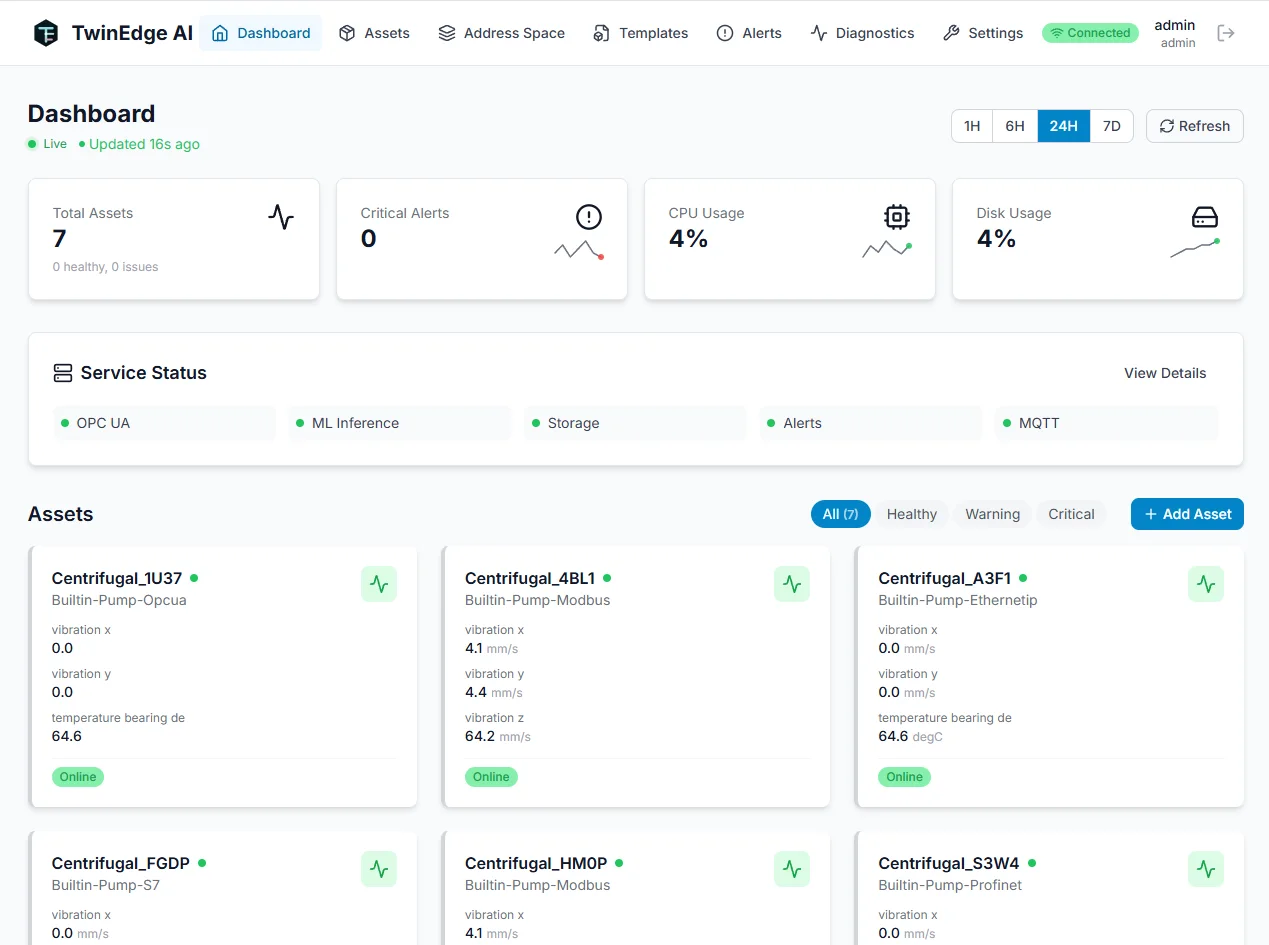
TwinEdge OS keeps a copy at the site. If the WAN drops — or there is no WAN — the plant still has history.
01 / At the machine
Reads the PLC. Holds a buffer if the link is slow. Always starts the connection — the historian never dials into the plant network.
02 / At the site
The edge server next to the equipment. Protocols, local screens, alerts, and a local copy of history — including when the site is air-gapped.
03 / The memory
AI-native memory for the plant. Stores every reading with its equipment, time, and unit. Agents can ask it. A person still applies the change. Same product in the plant, your rooms, or the cloud.
Collectors sit with TwinEdge OS and read the PLC.
TwinEdge OS stores, screens, and alerts locally.
The historian keeps the long record.
See extra energy and wear on the real record, then fix the machine that is actually wasting money.
Repair versus replace is based on this machine’s history, not a spreadsheet guess.
The assistant runs in the air gap if you need it.
Each collector reads signals and opens the connection itself.
Protocols, local dashboards, alerts, and a site historian run beside the machine , including with no internet.
Every reading keeps its equipment, timestamp, and unit, so a trend is something you can explain.
Same product in the plant, in your rooms, or in the cloud.
Ask for a period, an asset, or a comparison.
Investigations, AI, maintenance, and capital planning all start from the same operating memory.
AI-native assistant. Ask in plain language. Draft a rule, a dashboard, or a calculation from a sentence. Nothing is applied until a person says so.
Analytics that cite the record. Trends, investigations, and agent answers keep the equipment, time, unit, and evidence. The AI does not invent a number.
Keep source context available as the workflow moves between teams and applications.
TwinEdge Historian
Yes. TwinEdge Historian is an AI-native industrial historian. You can search in plain language, ask an assistant on the chart, and let agents draft a rule or investigation from the log of record. Models can run on site, including air-gapped. Agents propose. A person applies.
It reads the PLC or other source and sends batches to the historian. It always starts the connection. The historian never dials into the plant, which is why air-gapped and DMZ layouts use the same path.
TwinEdge OS is the edge server next to the equipment. It connects protocols, serves local screens, and can keep a local historian. TwinEdge Historian is the long memory — on that same server, in your rooms, or in the cloud.
Yes. Air-gapped is a supported layout. Collectors, TwinEdge OS, and a local historian stay on the plant network. Nothing needs a route out.
Keep TwinEdge OS and collectors at the site. They dial out to TwinEdge Historian in the cloud or in your rooms. The site still has a local copy, and each cloud tenant has its own database.
Yes. TwinEdge can read the historian you already run. You can also run TwinEdge Historian beside it, or move later. Migration is free if you choose to switch.
Discuss your sources, assets, and the outcomes your team wants to improve.